
FEATURED STORY OF THE WEEK
3 Infrastructure Bottlenecks That Kill Generative AI Performance

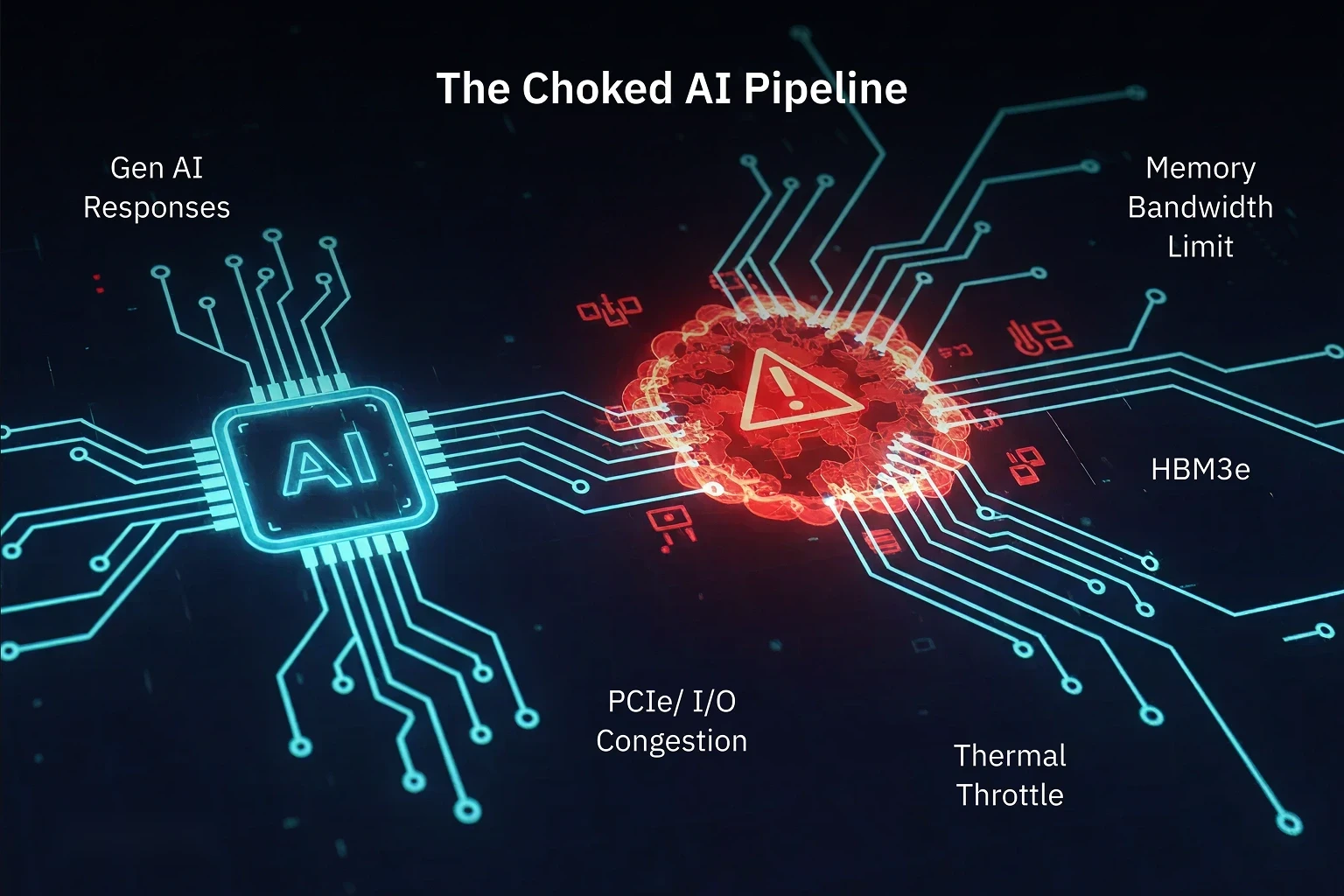
GenAI Performance Is Built on Infrastructure, Not Just Algorithms
You’ve probably heard the hype: “bigger models,” “better transformers,” “trillions of tokens.” But here’s the real kicker—none of it matters if your infrastructure is limping behind.
Picture this: you’re trying to fuel a rocket with a garden hose. That’s exactly what it’s like running LLMs on outdated systems riddled with GPU bottlenecks. And let’s be clear—it’s not just about adding more silicon. The game is about balance: memory, data flow, and heat management.
Let’s break down the three invisible enemies tanking your GenAI performance—and show you how to beat them.
Bottleneck #1: Memory Bandwidth — The Hidden Latency Tax
You can buy the most powerful GPU money can snag, but if memory bandwidth can’t keep up, your model’s sipping data through a straw.
In LLMs and multimodal AI, the memory pipe is often the first point of failure. Stalls, spikes, and underutilization? All classic signs.
How to Break It
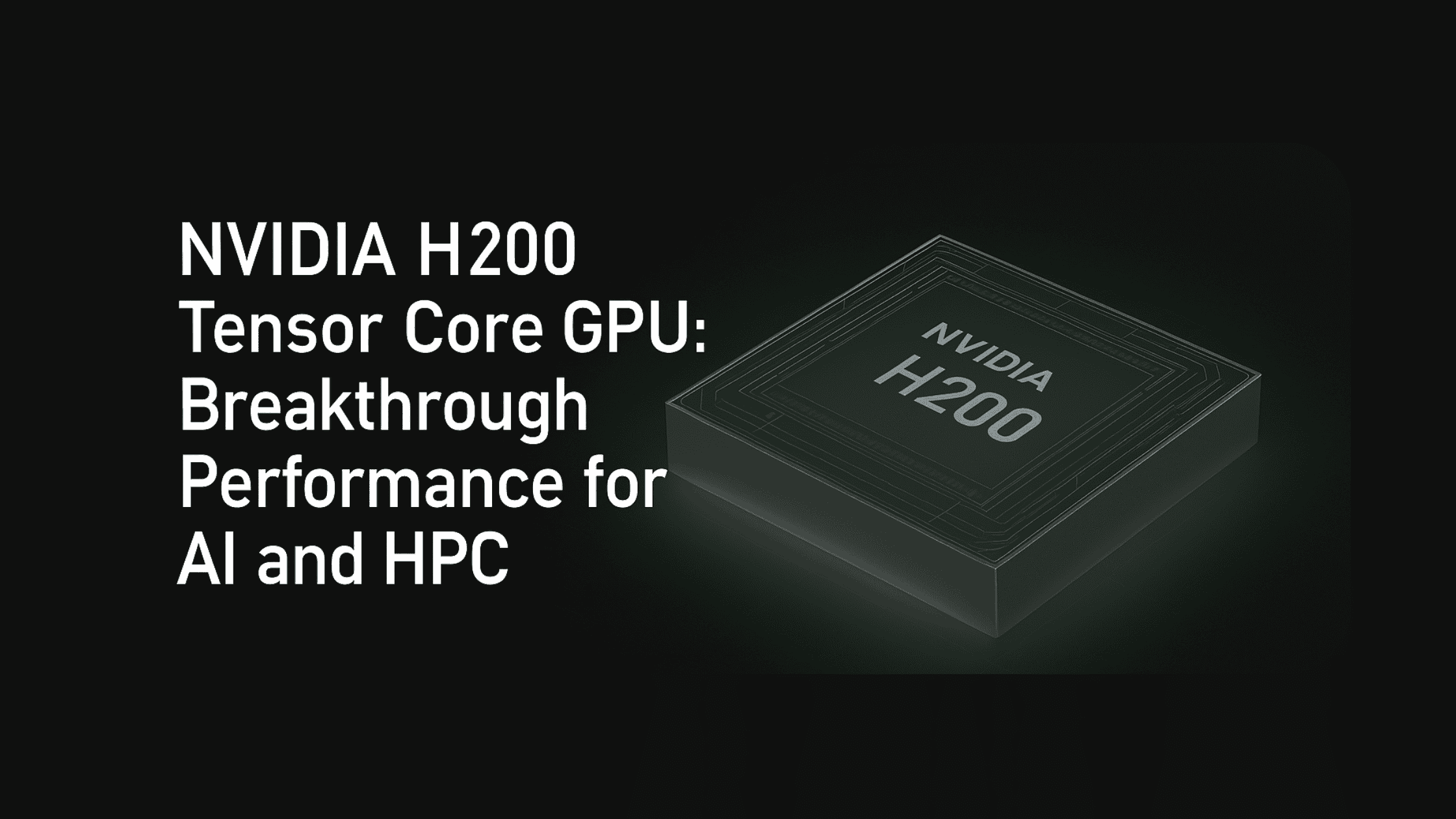
Deploy GPUs with high-bandwidth memory. Enter the NVIDIA H200—141 GB of HBM3e and a warp-speed 4.8 TB/s throughput.
Pair that with Supermicro SYS-821GE-TNHR, a server built to move that data without choking.
Quick Stack Checklist: Memory Bottlenecks
- GPU: NVIDIA H200 (141 GB HBM3e, 4.8 TB/s)
- Server: Supermicro SYS-821GE-TNHR
- Best For: LLMs, real-time inference, multimodal workloads
- Key Gain: Reduced latency, higher concurrency, no stalls
Bottleneck #2: PCIe/NVMe I/O — The Data Traffic Jam
Here’s a painful truth: your GPU isn’t slow. It’s just sitting there waiting for data that’s crawling through a congested PCIe tunnel.
PCIe Gen4 or clogged NVMe pathways? They’re the digital equivalent of a five-lane freeway reduced to one—during rush hour.
How to Break It
Step into the fast lane with PCIe Gen5 and NVMe-optimized architecture. The Dell PowerEdge XE7745—backed by dual AMD EPYC 9005 CPUs—is built to move data like it’s got somewhere important to be.
Quick Stack Checklist: I/O Bottlenecks
- Server: Dell PowerEdge XE7745
- Processor: 2x AMD EPYC 9005
- I/O: PCIe Gen5, NVMe-rich
- Best For: Streaming inference, API-scale GenAI, real-time ML
- Key Gain: GPU saturation, fast ingestion, zero backlog
Bottleneck #3: Thermal Throttling — The Silent Saboteur
GPU throttling doesn’t throw an error—it just quietly steals your performance while your stack sweats in silence.
Heat buildup ruins concurrency, crashes throughput, and cooks long-term stability.
How to Break It
Deploy systems like the HPE ProLiant XD685—engineered for airflow mastery. It supports up to 8x NVIDIA H200s running full tilt with zero thermal drop-off. AI infrastructure scaling is not just about cost, but it’s also about planning.
Quick Stack Checklist: Cooling Bottlenecks
- Server: HPE ProLiant XD685
- GPU Density: Up to 8x NVIDIA H200
- Cooling: Smart airflow, thermal sensors
- Best For: Long-running inference, multi-tenant AI workloads
- Key Gain: Consistent throughput, no thermal penalties, peace of mind
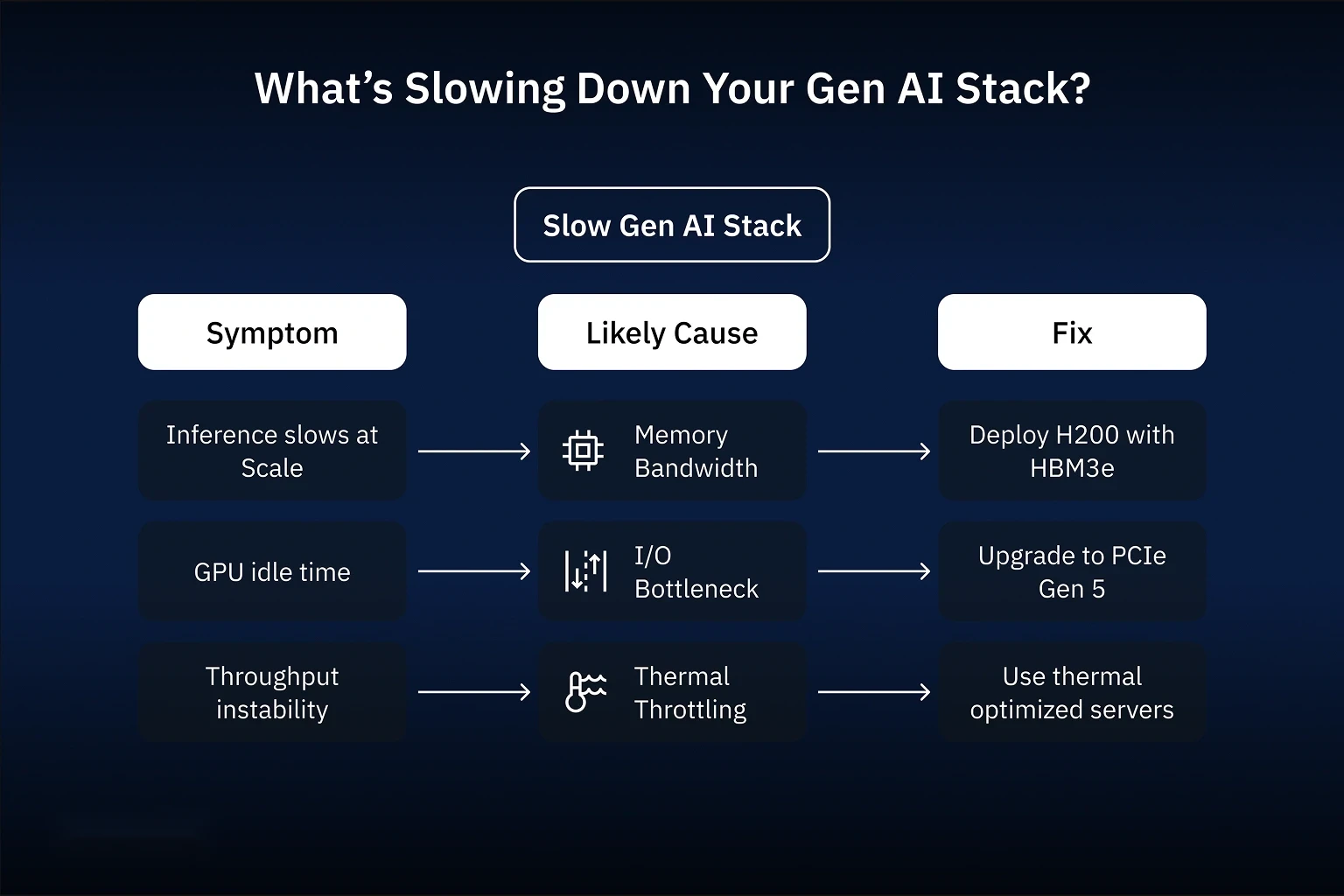
Symptoms & Diagnosis: Infra Pain Decoder
| Symptom | Likely Bottleneck | Fix |
|---|---|---|
| Inference slows under load | Memory Bandwidth | NVIDIA H200 with HBM3e |
| GPUs idle during workload | PCIe/NVMe I/O | Dell XE7745 + PCIe Gen5 |
| Throughput dips over time | Thermal Throttling | HPE XD685 with optimized airflow |
| Spot the pattern? Bad infra symptoms always trace back to these three culprits. | ||
Case Study: Semifly Fixes a Fintech’s Failing Stack
A fast-scaling fintech came to Semifly’s Infrastructure experts with a simple ask: “Our GenAI chatbot is lagging—badly.”
What we found:
- Response times > 6 seconds
- GPUs barely touching 60% utilization
- Stack throttling under moderate load
What We Did:
- Replaced Gen4 systems with Dell XE7745 + PCIe Gen5
- Upgraded to NVIDIA H200 GPUs with HBM3e
- Deployed HPE ProLiant XD685 for thermal resilience
Results: Infra That Performs
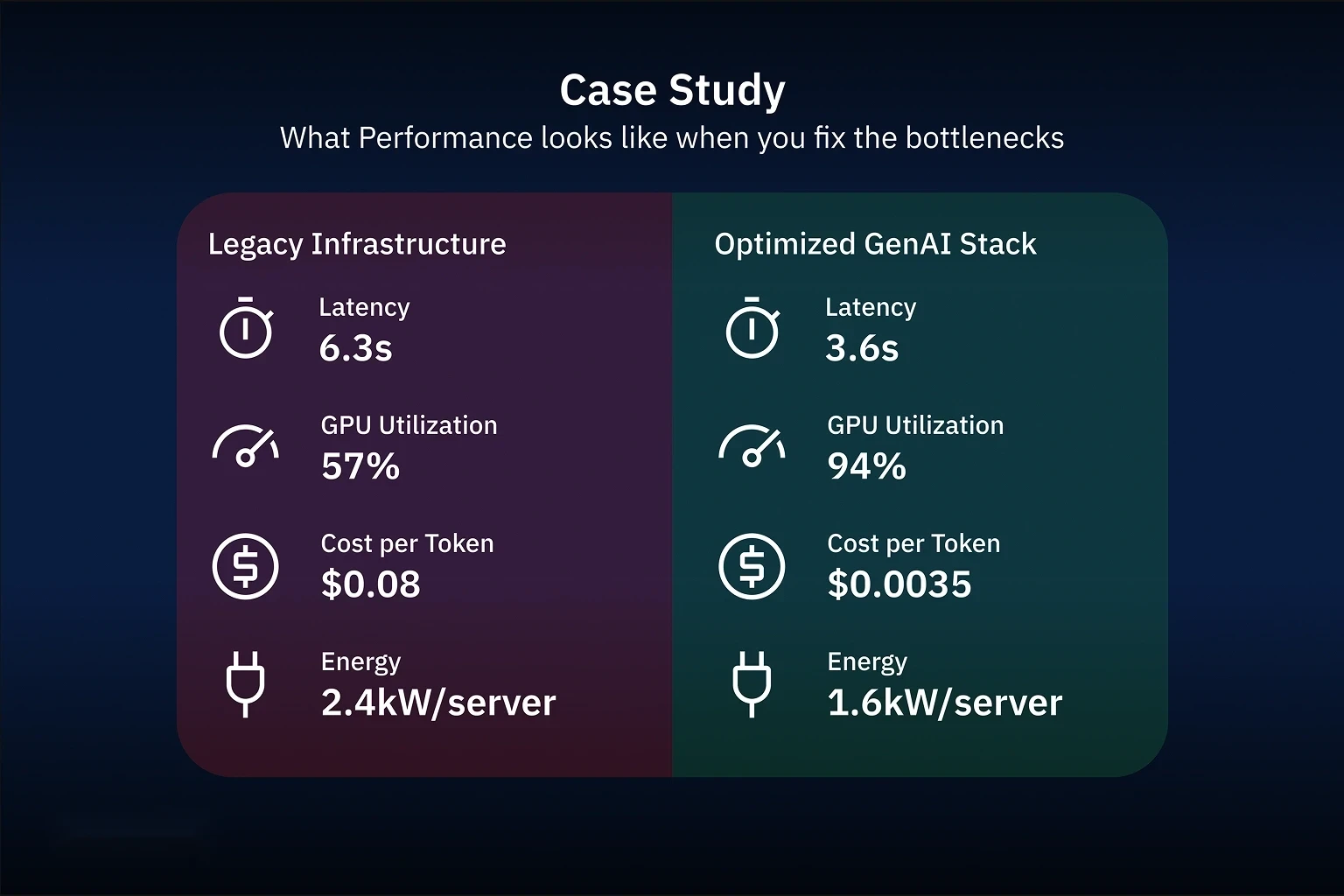
| Metric | Before (Legacy) | After (Optimized) |
|---|---|---|
| Latency | 6.3 seconds | 3.6 seconds |
| GPU Utilization | 57% | 94% |
| Cost per Token | $0.08 | $0.035 |
| Energy Consumption | 2.4 kW/server | 1.6 kW/server |
Total throughput jumped 2.1x, latency dropped 43%, and infra cost dipped 27%. That’s what a balanced stack gets you.
The Triple Threat Compounds
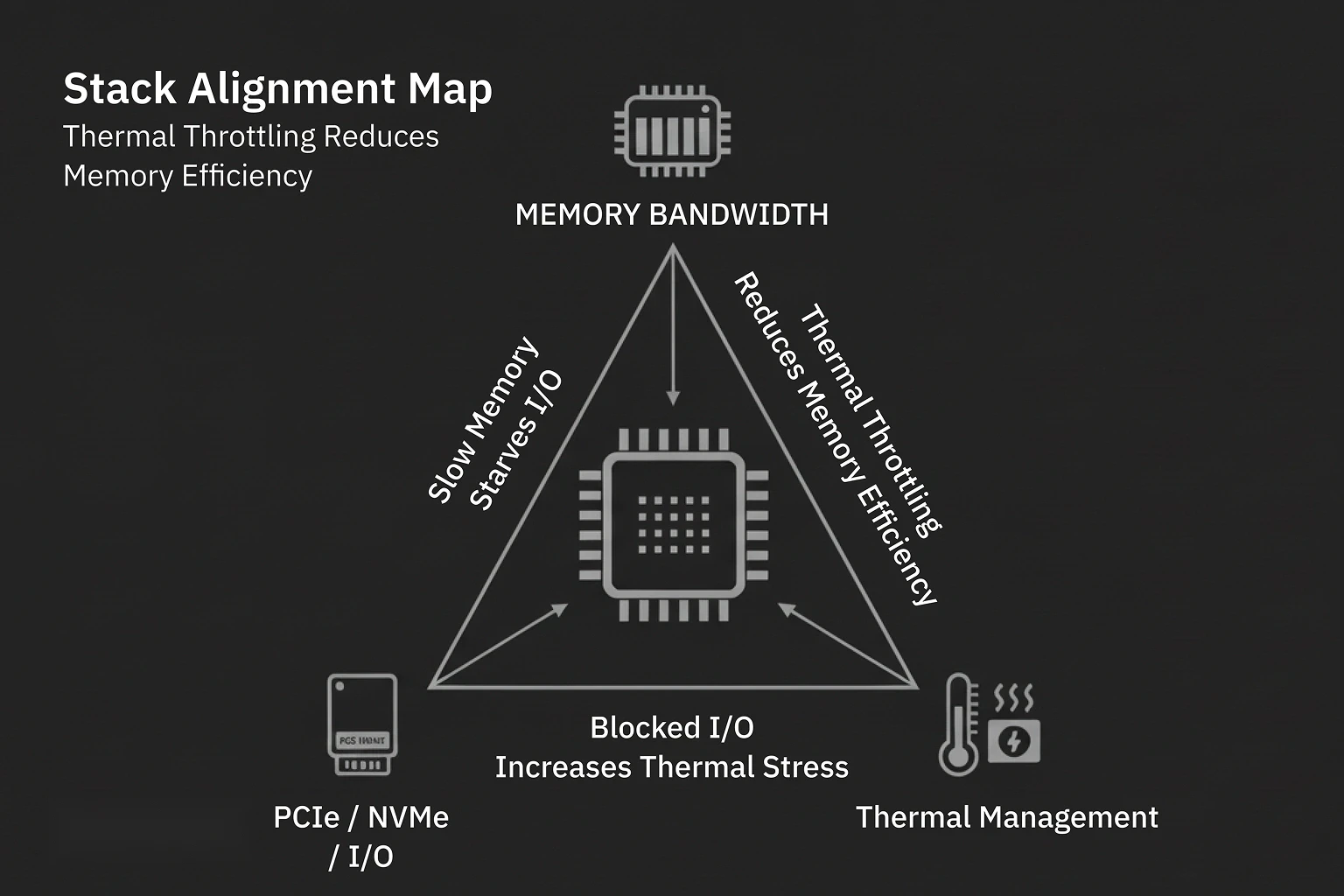
Each of these bottlenecks makes the others worse.
Slow memory overloads I/O. Data backlog builds heat. Heat throttles compute. It’s a vicious triangle—and it only breaks when you align memory, I/O, and cooling as a single system.
Final Take: Don’t Just Scale Up. Align.
Specs don’t win at scale—symmetry does. You need an infrastructure that thinks and breathes like a system, not a pile of disconnected components.
Semifly’s approach? Build stacks that perform like orchestras—not solo acts. No weak links. No slowdowns.
Ready to Kill Bottlenecks?
Let’s run your GenAI workloads like they were meant to run. Book a GenAI Infra Diagnostic with Semifly and get a plan that delivers memory bandwidth, data velocity, and cool-headed throughput—at scale.
Let’s do this right.

More Similar Insights and Thought leadership
No Similar Insights Found
Subscribe today to receive more valuable knowledge directly into your inbox
We are writing frequenly. Don’t miss that.
Subscribe to get updates

Unregistered User
It seems you are not registered on this platform. Sign up in order to submit a comment.
Sign up now